

Why Verifying a Site’s Status Matters for Discriminating Shoppers
Few moments test a luxury shopper's patience like a fine jewelry site that refuses to load. Before assuming the worst about the brand, a quick status check can reveal whether the problem is a temporary server issue or a local glitch on your own network. Website down checkers offer this clarity in seconds, saving you time and preserving the trust you have in a store you admire.
This guide covers practical tools and methods for confirming a site's availability, so you can return to browsing with confidence. For those seeking a comprehensive list, our article on top tools to check if a website is actually down offers additional resources.
Using Multi‑Location Checkers for Certainty

When a fine jewelry site refuses to load, the first question is whether the problem is yours alone or widespread. Single-location tests cannot answer that. Multi-location checkers such as OnlineOrNot, Pulsetic, and DebugBear test a URL from 10 to 15 global regions in seconds, sending real HTTP requests from servers across the Americas, Europe, Asia Pacific, and Oceania.
If every region reports the site as unreachable, the outage is almost certainly server-side — the site is down for everyone. If only some regions fail, the issue is likely a CDN misconfiguration, a DNS routing problem, or a regional hosting glitch. If the checker reaches the site from elsewhere but your browser cannot, the cause is local: your network, ISP, VPN, firewall, or DNS cache.
Beyond a simple up-or-down verdict, these tools display the HTTP status code returned by the server. A 500 code signals an internal server error, 503 means the service is temporarily unavailable, and 502 or 504 point to gateway or timeout problems. Response times are also shown, so you can spot a server that is struggling before it goes completely dark. For luxury shoppers who value certainty, a multi-location check transforms guesswork into clarity.
Fast Single‑Location Checks for a Quick Verdict

When you simply want to know whether a site is reachable without running a full diagnostic, a single-location checker provides an answer in seconds. Tools such as Down for Everyone or Just Me, Is It Down Right Now, and Sitechecker's free Website Down Checker each perform a test from one server, returning the site's status, response time, and — in Sitechecker's case — a screenshot of the page. These results give a useful snapshot: if the server returns an HTTP 200, the site is up from that location; a 5xx code or timeout signals trouble.
For a moment of initial curiosity, a quick single‑location check works well. You suspect a site is down, type in the URL, and within a few seconds you see a verdict like "Server is up" or "Server is down." This can save time when the issue is obvious and widespread. But for the discerning shopper who finds that a jewelry site loads on the checker yet remains stuck in their own browser, the single test offers limited help — it cannot rule out local problems such as a stale DNS cache, a VPN conflict, or an ISP restriction. In those cases, a multi-location tool like OnlineOrNot delivers a more definitive picture by testing from 15 global locations and pinpointing whether the failure is regional or personal.
For quick, reliable checks that pair well with a luxury shopping routine, Avittam Diamond Jewels recommends using Sitechecker's checker when you need a fast status glimpse, and a multi‑location service when confidence matters. Between the two, you can separate a momentary outage from a problem worth further investigation.
Common Reasons a Jewelry Site May Be Unreachable

Even the most carefully crafted online jewelry store can become unreachable at times. These interruptions fall into two categories: "hard downtime," where the site is completely inaccessible, and "soft downtime," where pages load slowly or checkout functions fail. Understanding the difference between a brief hiccup and a serious outage helps you respond with patience rather than frustration.
Typical Causes of Downtime
Server or hosting outages are the most common reason a site goes dark. A hosting provider's hardware failure or a network outage can take hundreds of stores offline at once. Traffic spikes — such as a surge of visitors after a social media mention or a holiday sale — can overwhelm a server and cause it to fall over. DNS misconfiguration, where the domain name cannot be translated to the correct server address, is another frequent culprit. Expired SSL certificates trigger browser security warnings that block visitors entirely. Planned maintenance, if poorly timed, also makes a site unreachable during prime shopping hours.
Distinguishing Normal Blips from Serious Failures
Brief downtime during deployments, server restarts, or DNS propagation is normal and typically resolves in seconds. A single failed check that recovers is less concerning than repeated failures across multiple regions or at the same critical moment — such as every time a user tries to add a ring to their cart. Repeated regional outages point to deeper issues with CDN, DNS, or hosting infrastructure.
Prolonged or frequent downtime affects more than customer experience. Search engines that encounter repeated 5xx errors may drop affected pages from results, and a minute of downtime can cost a major e-commerce site like Amazon approximately $220,000. For a luxury jeweler such as Avittam Diamond Jewels, an extended outage also erodes the trust that discerning shoppers place in the brand. Avittam Diamond Jewels mitigates this by relying on reliable hosting and continuously monitoring site availability from multiple locations, ensuring that rare interruptions are resolved as precisely as each piece of jewelry is crafted.
What to Look for During an Outage
When a site is unreachable, HTTP status codes offer clues. A 503 (Service Unavailable) code indicates the server is temporarily overloaded or undergoing maintenance. A 500 code points to a general server error. Requests that time out or fail DNS suggest a hosting or DNS problem. A multi-location checker can confirm whether the issue is local or widespread, helping you decide whether to wait or reach out to the merchant.
Verifying an Online Shop’s Legitimacy Before Purchase

Before committing to a significant purchase, especially a piece of fine jewelry, take a moment to confirm the online shop is trustworthy. Start by checking for a secure connection: ensure the URL begins with "https" and displays a padlock icon. While this indicates a valid SSL certificate, it should be just the first step in your verification process.
Click on any trust seals displayed on the site to see if they redirect to a page that authenticates their validity. A trustworthy jeweler will also provide clear return policies and certified diamond grading reports, reflecting a commitment to transparency and quality.
Research the company's reputation by reading third-party reviews on platforms like Google, the Better Business Bureau, or Trustpilot. Legitimate businesses have a balanced mix of reviews, while suspicious sites often have none or uniformly perfect ratings. Confirm the business lists a physical address, a working phone number, and a professional email address.
For an extra layer of protection, use safety checker tools. The Google Safe Browsing Transparency Report instantly checks a website against Google's database of unsafe sites. Services that scan a domain across multiple blocklist engines, as well as browser extensions that warn against malicious sites, offer additional security.
What to Do When a Fine Jewelry Site Won’t Load
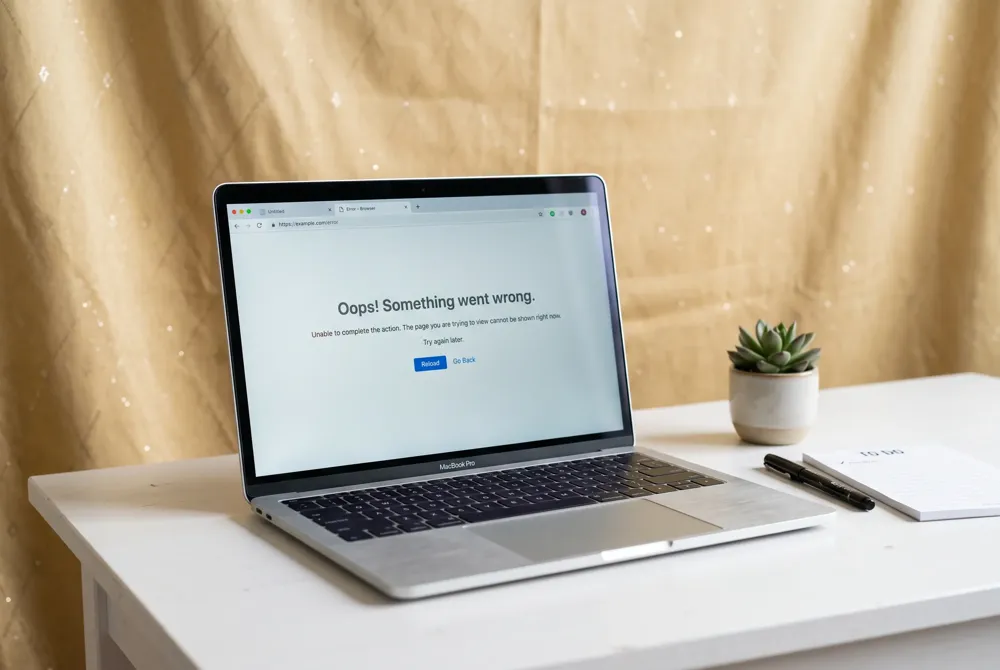
When a fine jewelry website refuses to load, begin with simple checks before assuming a larger problem. Refresh the page once or twice—temporary glitches often resolve themselves. If the site still does not appear, try a different browser or open it on another device. These steps quickly rule out a local caching or software issue.
Should the problem persist, switch your network connection. Disconnect from Wi-Fi and use your mobile data, or move to a different Wi-Fi network. This tells you whether the trouble lies with your internet service provider rather than the site itself.
If the site remains unreachable, use a free website down checker that tests from multiple global locations. These tools send real HTTP requests from servers around the world. If every region reports failure, the site is likely down for everyone. If the checker reaches the site but you cannot, the problem is local—often a stale DNS cache, a VPN, or an ad-blocker interfering. Clear your browser cache and DNS settings, then temporarily disable any VPN or ad-blocking software before trying again.
When a site stays inaccessible, consult real-time crowdsourced outage aggregators such as DownDetector and StatusGator. These platforms collect user reports and classify issues as "no problems," "possible problems," or "problems detected" for major services, helping you see if others are experiencing the same difficulty.
Also check the brand's official social media channels or its dedicated status page for announcements about maintenance or outages. Many reputable jewelry retailers provide updates through these outlets. If you cannot find any information and the site has been unreachable for an extended period, contacting customer support directly will give you the most current and personalized guidance.
Shopping with Confidence in a Digital Era
When investing in a piece of fine jewelry, a smooth online experience matters. By combining multi-location down checkers, legitimacy verification tools, and simple troubleshooting steps, you can quickly separate a temporary glitch from a real concern.
A reliable jeweler values uptime and transparency, and provides clear support channels for any questions that arise. For those seeking a seamless journey, Avittam Diamond Jewels offers a trusted experience backed by detailed product guides, virtual try-on tools, and free shipping — ensuring your focus remains on selecting the perfect piece, not on technical hurdles.